SketchUp, Enscape and AI: A Retail Visualisation Pipeline Built for Leasing Speed
How I use SketchUp, Enscape and an AI pipeline together to produce leasing-quality retail concept visuals and presentation materials at pace - two outputs from the same model, covering both the persuasive sketchy concept view and the photorealistic walkthrough, without a dedicated visualiser in the loop.
There is a particular moment in retail design where a concept needs to become visible before it is fully designed. A leasing team wants to show a potential brand what a unit could look like. A landlord wants to see whether a proposed tenant fits the centre vision. A client wants to stress-test a layout before committing to a detailed design programme. In all three cases, the request is the same: show me something. Show me something now.
The traditional answer is to commission a visualiser, wait three to five days, review, iterate, wait again. On a fast-moving leasing pipeline, that timeline is a problem. By the time the image arrives, the conversation has moved on.
I built a different answer.
The workflow
I use SketchUp as my primary tool for early-stage spatial modelling. It is fast, intuitive and produces geometry that is immediately useful for both design development and visual communication. A unit layout, a facade study, a concourse massing - each of these takes minutes to build in SketchUp rather than hours in a full BIM environment. That speed is the point. The model does not need to be construction-ready. It needs to be spatially true enough to generate a useful visual.
From the same SketchUp model I can produce two different visual outputs depending on what the audience needs.
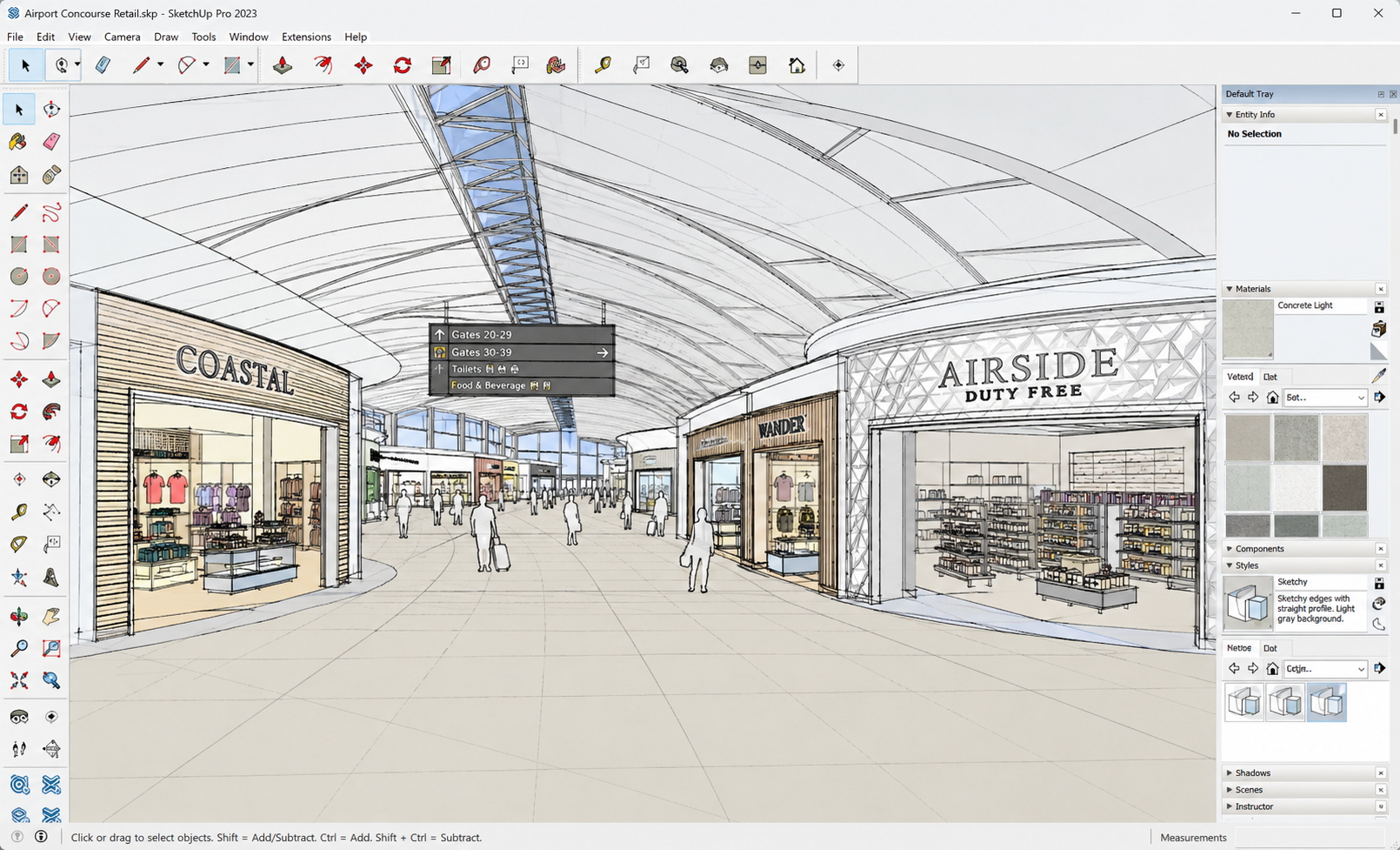
The first is a sketchy, hand-drawn style view - the kind of image that reads immediately as a concept, invites feedback, and works well in early-stage leasing conversations where the design is still in play. SketchUp's built-in style engine handles this directly, giving a clear, communicative image that does not overstate the resolution of the design.
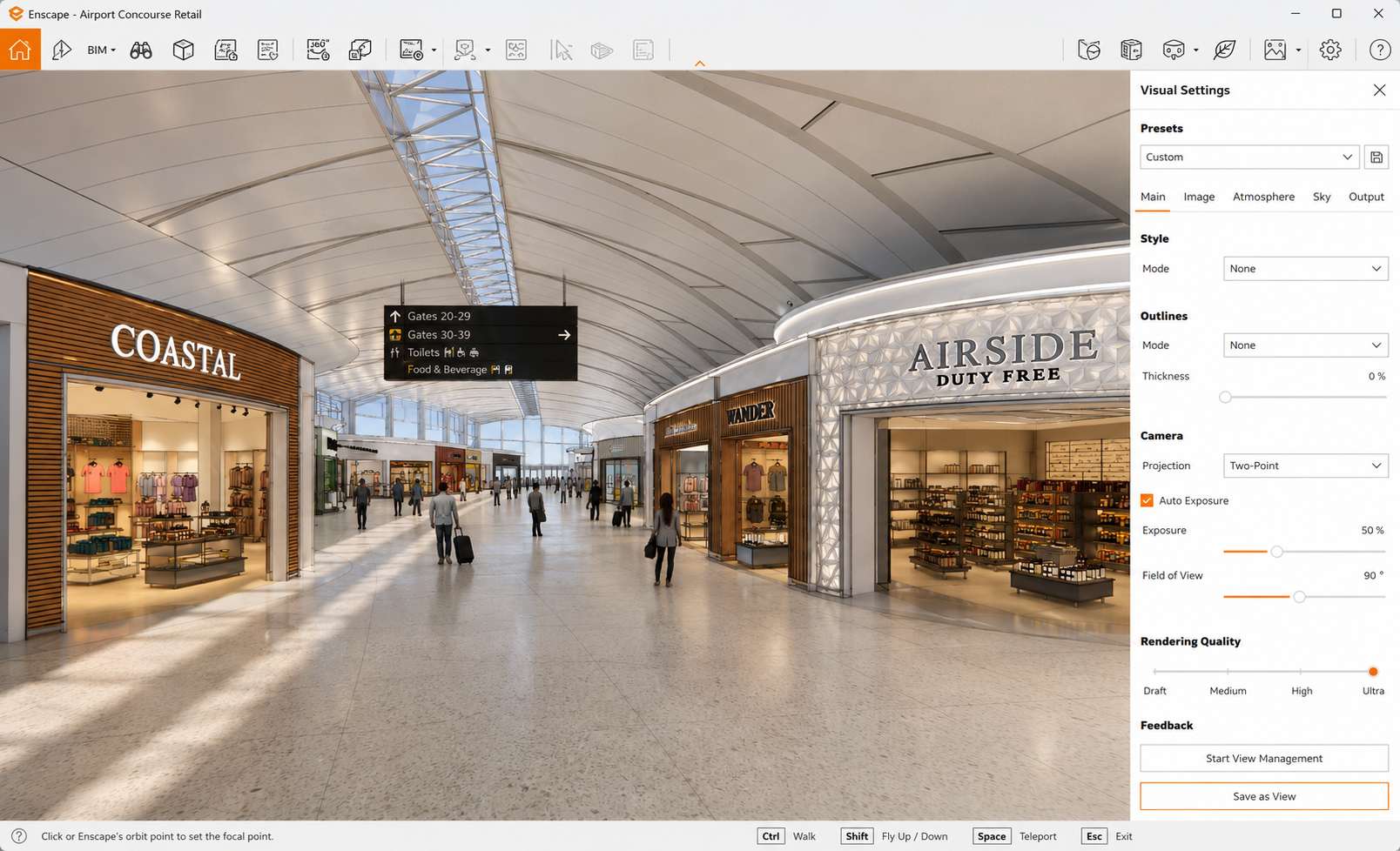
The second is a photorealistic render produced through Enscape, a real-time rendering engine that runs live inside SketchUp. Enscape reads the model geometry and materials and produces a high-quality rendered view - daylight, artificial lighting, reflections, populated with people - in real time. There is no export, no separate rendering software, no overnight batch. The render updates as the model updates. Walking through the space in Enscape while adjusting the design in SketchUp is a genuinely fast way to develop and validate a retail concept.
On top of both of these, I use an AI pipeline connected to the SketchUp environment to generate styled concept images from the model geometry - useful where the brief calls for a specific atmospheric register or a more polished leasing-deck presentation image than a raw Enscape render provides.
What it produces
The sketchy SketchUp view communicates the spatial layout and design intent without overpromising. The Enscape render shows the space as a finished environment - lighting, materials, scale, atmosphere. The AI-styled image sits between the two, producing a polished concept visual with a specific look and feel. All three come from the same model. Switching between them takes minutes, not days.
For a leasing audience, this range is exactly what is needed. Early conversations need loose, inviting concepts. Formal presentations need convincing photorealistic images. Board approvals and brand pitches need something that looks like a finished design. I can produce all three in-house, on demand, without a visualiser in the loop.
Why this matters in a leasing environment
Leasing teams move fast. The window between a brand expressing interest and that interest cooling is short. Every day a space sits vacant is a day of lost income. The design output that supports leasing - the visuals, the dossiers, the concept presentations - needs to match that pace.
An in-house pipeline that produces presentation-quality visuals on the same day as a concept is developed does match that pace. It removes the external dependency, shortens the feedback loop and keeps the leasing conversation moving.
Technical notes
SketchUp Pro 2023 for spatial modelling and concept views. Enscape for real-time photorealistic rendering directly within SketchUp. AI pipeline for styled concept image generation. Revit for all detailed design and technical delivery once a concept moves forward - the tools work across different stages rather than competing with each other.